Plan the day.
One list for what is due today, a calendar for the rest of the month.
Tasks and routines in one list.
Today's tasks and today's routines sit in the same list, so there is one place to look. Swipe right to complete, swipe back to undo. Drag to reorder. The week strip at the top stays put while you scroll.
Type it the way you say it.
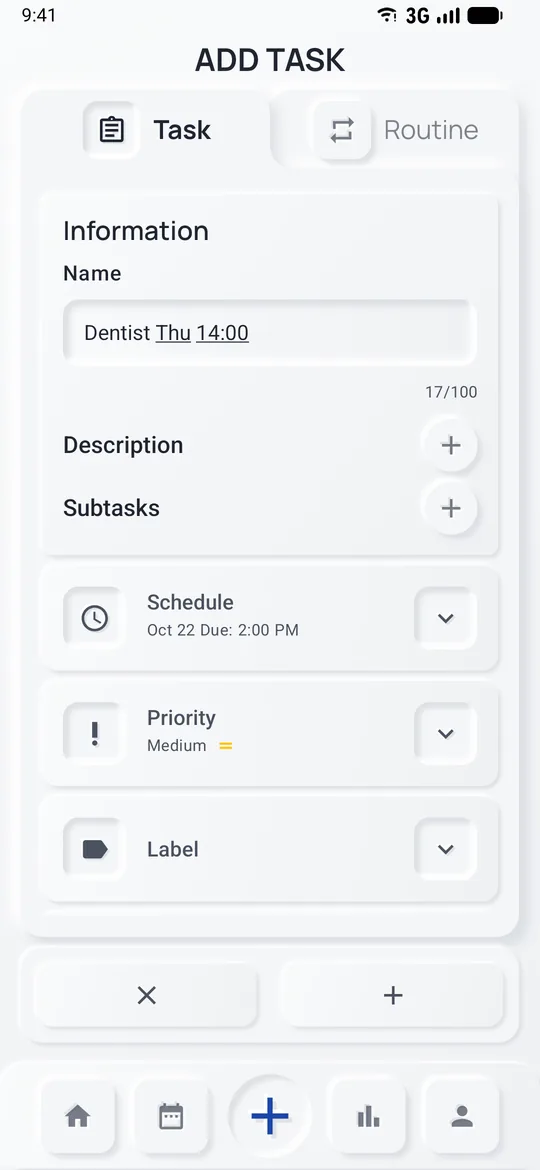
Write "Dentist Thursday 14:00" and the date and time are picked up from the title. Add steps, a priority, a label and a reminder if you want them. Nothing leaves your phone; the title is read on the device.
Routines that fit real weeks.
Daily, on chosen weekdays, monthly or on your own interval. Set an end date or let a routine run until you end it. Skip a day with a swipe when life gets in the way; your streak is not punished for it.
The month at a glance.
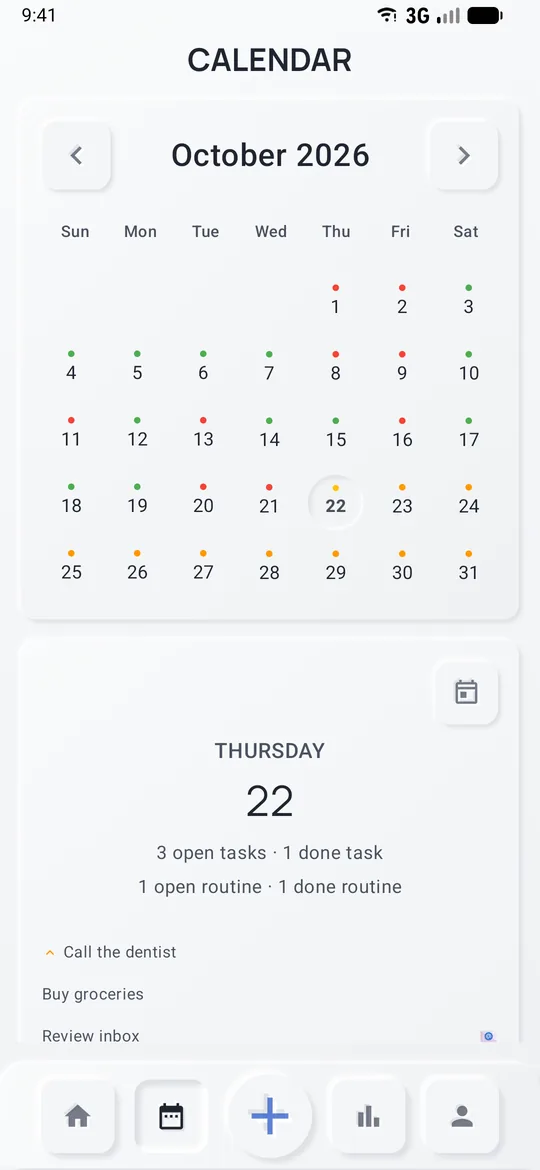
Dots show which days hold something. Tap a day to see what is due and what is already done. Jump from a day straight into the list for that date.
Overdue, search, notes, undo.
Unfinished tasks from earlier days wait in an Overdue section; one tap moves them all to today. Search finds any task, routine or step and shows when it is due. A note can go on any task or any routine day. Deleting shows an undo bar instead of a dialog.